 Vaultsum
An expense tracker that stays on your phone.
Your accounts and transactions live in an encrypted database on your Android phone. No sign-up, no cloud copy, and it reads payment alerts from your bank and apps like GPay, PhonePe and Paytm so you don't have to type every payment.
Get it on Google Play Free. Android 8 and up. No account, no ads.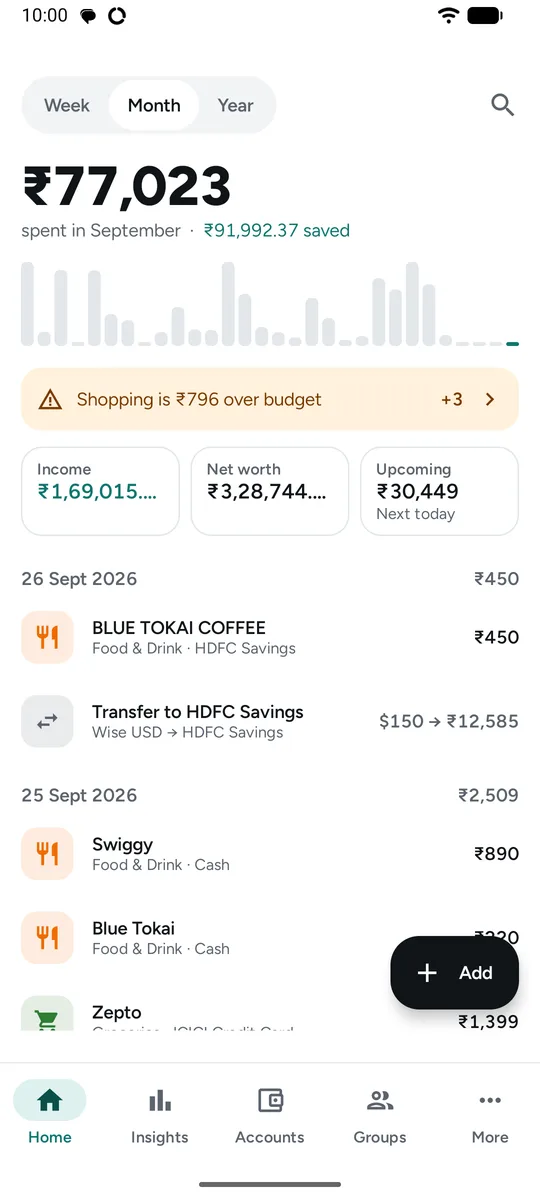
What it does
SQLCipher-encrypted database, app lock, hide-amounts mode, encrypted backups. No account needed. How it stays private
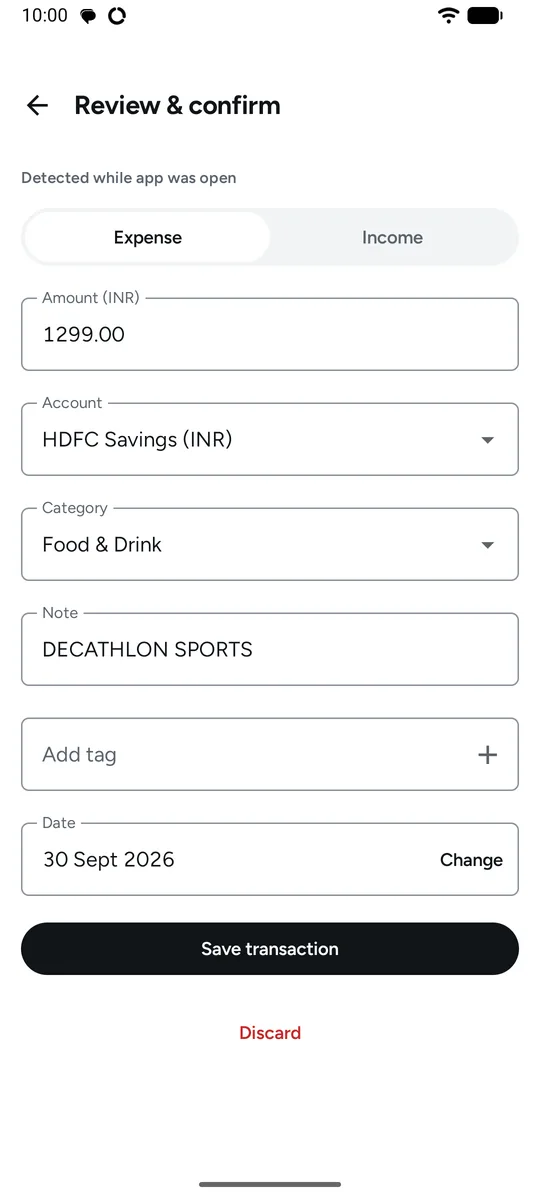
Turns GPay, PhonePe, Paytm and SBI/HDFC/ICICI and other bank alerts into transactions you confirm. No SMS permission. How detection works
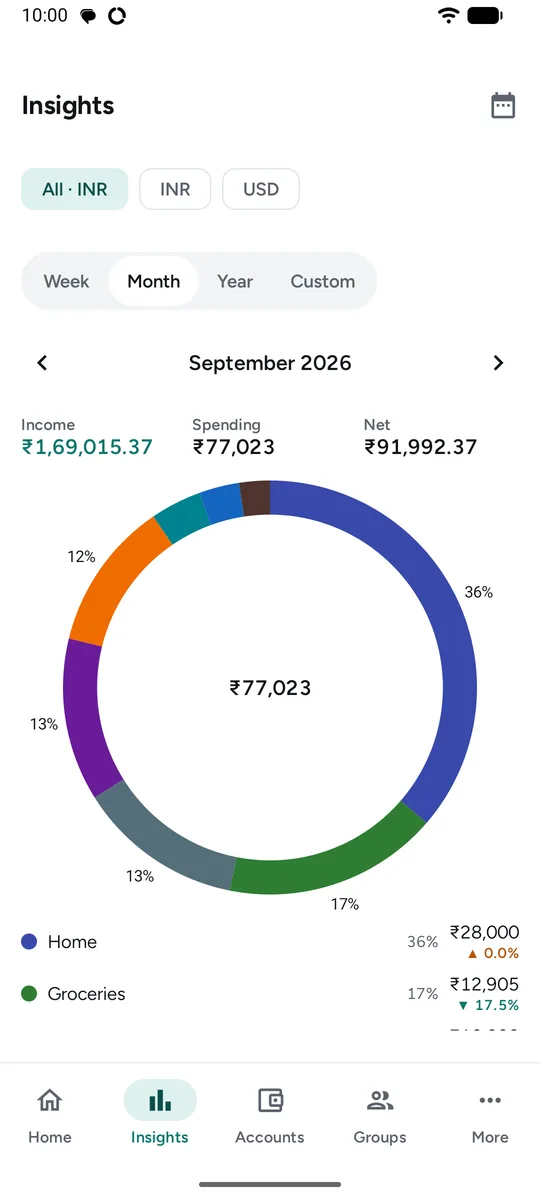
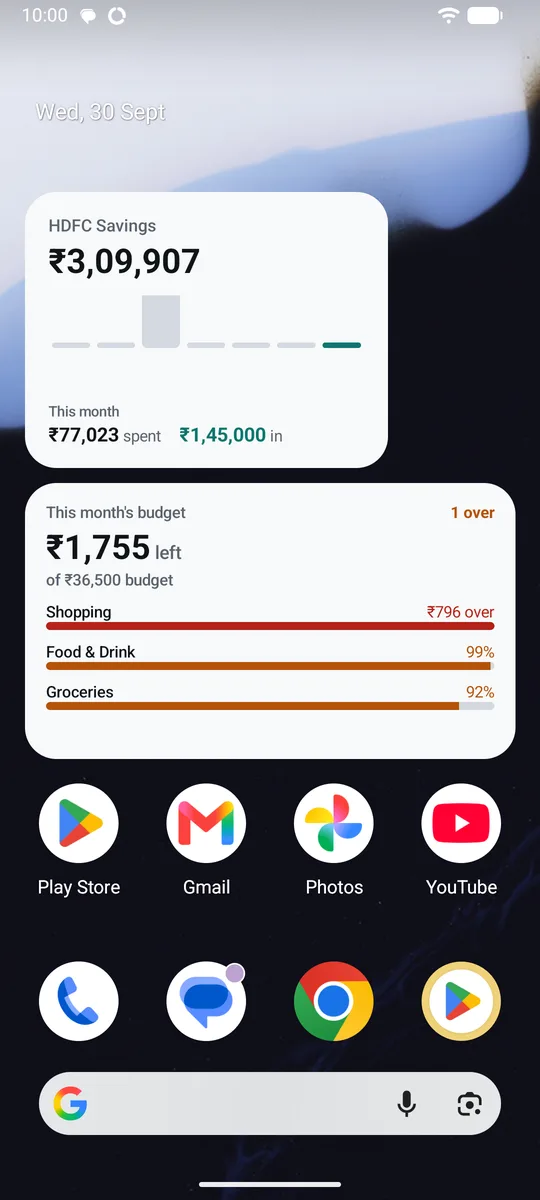
Monthly budgets that warn at 80%, category breakdowns, trends and a spending calendar.
Recurring and future-dated entries post themselves when due, with reminders.
Accounts in any currency, cross-currency transfers, net worth in your base currency.
Optional Groups: share expenses, simplify debts, settle up through your own UPI app. How splitting works
What goes online
Your personal finances never leave your phone. Two things do use the internet: a once-a-day exchange-rate download (only your base currency code is sent), and Groups, which is optional, needs a sign-in (Google or phone number) and stores shared expenses in Firebase so your friends can see them. Details in the privacy policy.
Questions
Why does it need notification access?
That's how it sees a payment the moment GPay, PhonePe, Paytm or your bank's SMS tells you about it. It only looks at the apps you switch on in its settings and ignores every other notification. Each payment it finds waits for you to confirm before it's saved. You can skip this and type entries yourself.
Does it read my SMS or my OTPs?
It never asks for permission to read your SMS. When you turn on bank alerts, it reads the notification your SMS app shows for a new message, and only keeps ones that look like a payment. OTPs and promotional messages are skipped.
Which banks and payment apps work?
Google Pay, PhonePe and Paytm, plus bank SMS alerts from SBI, HDFC, ICICI, Axis, Kotak and most other Indian banks. If an alert isn't recognised, you can still add the payment in a few taps.
Is my data uploaded anywhere?
No. Your accounts and transactions stay in an encrypted database on your phone, and there's no Vaultsum account to sign up for. The only parts that go online are the daily exchange-rate download and Groups, if you choose to use it.
What happens if I change phones?
Export a password-protected backup, or set up automatic daily or weekly backups to a folder you pick, such as one synced by Google Drive. Restore it on the new phone.
How do I split bills with friends?
Create a group, add expenses with equal, exact or percentage splits, and Vaultsum works out the fewest payments to settle up. "Settle up" copies your friend's UPI ID and opens your own UPI app, where you pay them. Vaultsum never touches your money.
Is it free? Is there an iPhone version?
Vaultsum is free to download, with no ads. It's Android only for now (Android 8 and up).